
10 Features To Look For In A Daycare App
Choosing the right daycare app can make a real difference to how smoothly a childcare setting runs. The best systems go far beyond simply giving parents somewhere to make a booking. They can reduce repetitive admin, keep important information in one place, simplify payments and give staff a much clearer picture of what is happening across their provision.
For nurseries, preschools, wraparound care and other childcare providers, that can mean less time spent updating spreadsheets, chasing payments or answering booking queries, and more time focused on actually delivering childcare.
But not every childcare app offers the same functionality. If you’re comparing different platforms, here are 10 features we believe are worth looking for.
1. Flexible Online Bookings
Bookings sit at the centre of most childcare settings, but the way families use childcare is rarely straightforward.
Some parents need the same sessions every week. Others require ad-hoc care, holiday sessions or occasional additional days. Your daycare app should be flexible enough to accommodate different booking arrangements without creating more work behind the scenes.
Look for features such as:
- Recurring and regular bookings
- Individual or ad-hoc sessions
- Block bookings
- Different session types
- Booking deadlines and eligibility rules
- Automatic capacity limits
Parents should also be able to make and manage appropriate bookings themselves, rather than needing staff to manually process every request.
Our iPAL online booking system, for example, supports yearly, termly, daily, contract, ad-hoc, block and subscription-based sessions, allowing providers to configure bookings around the way their setting actually operates.
2. A Simple Parent App Or Portal
It’s easy to focus entirely on what management software looks like from the administrator’s side, but parents will interact with it regularly too.
A good daycare app for parents should make everyday tasks straightforward. Parents shouldn’t have to phone or email the setting every time they need to check a booking, update information or make a payment.
Ideally, they should be able to:
- Check session availability
- Make and review bookings
- Pay outstanding balances
- Receive important notifications
- Update child or contact information
- Complete forms online
The new iPAL For mobile app has been designed around exactly this kind of self-service, allowing parents to manage bookings, payments, notifications and forms from their phone.
A better parent experience can also mean fewer routine enquiries for your admin team.
3. Integrated Payments & Invoicing
Bookings and payments are closely connected, so managing them through completely separate systems can quickly create unnecessary administration.
When looking at daycare management software, check whether payments, invoices and bookings can all be viewed together.
If a parent books additional sessions, for example, the system should make it easy to understand what they have booked, what has been invoiced and what remains outstanding.
For settings offering funded places, it is also worth considering how the software handles funded and unfunded hours. In England, eligible working parents can currently access up to 30 hours of funded childcare from the term after their child turns nine months old until they start school.
A system that can account for different booking and funding arrangements can remove a considerable amount of manual calculation.
4. Automated Payment & Debt Management
Taking payments is one thing. Keeping track of outstanding payments is another.
Manually checking balances, identifying overdue accounts and sending reminders can quickly become a regular administrative task, particularly for larger settings or organisations operating across multiple locations.
Look for a childcare app that provides a clear view of:
- Paid and unpaid invoices
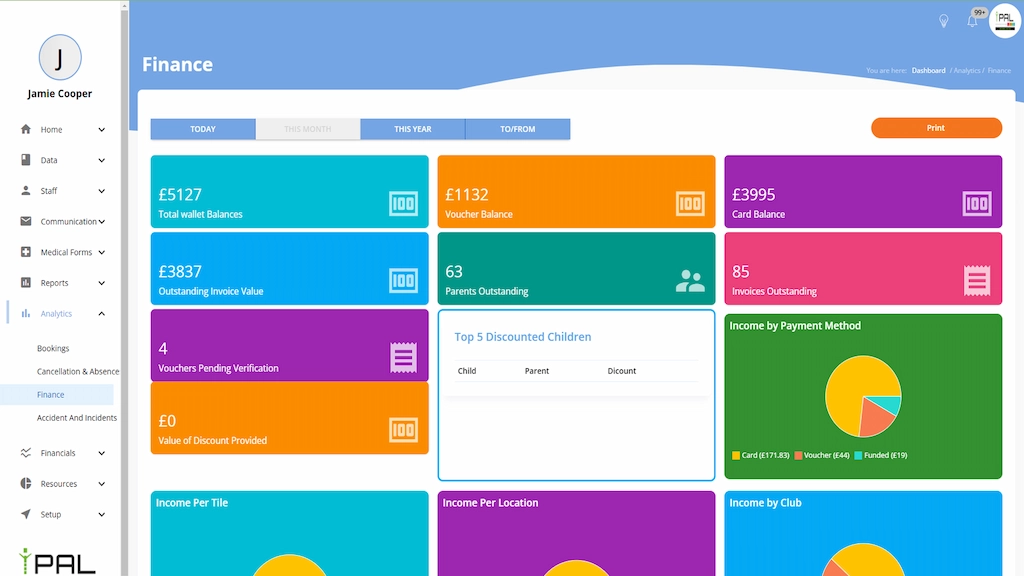
- Outstanding account balances
- Payment history
- Automatic reminders
- Financial reporting
Automation is particularly valuable here.
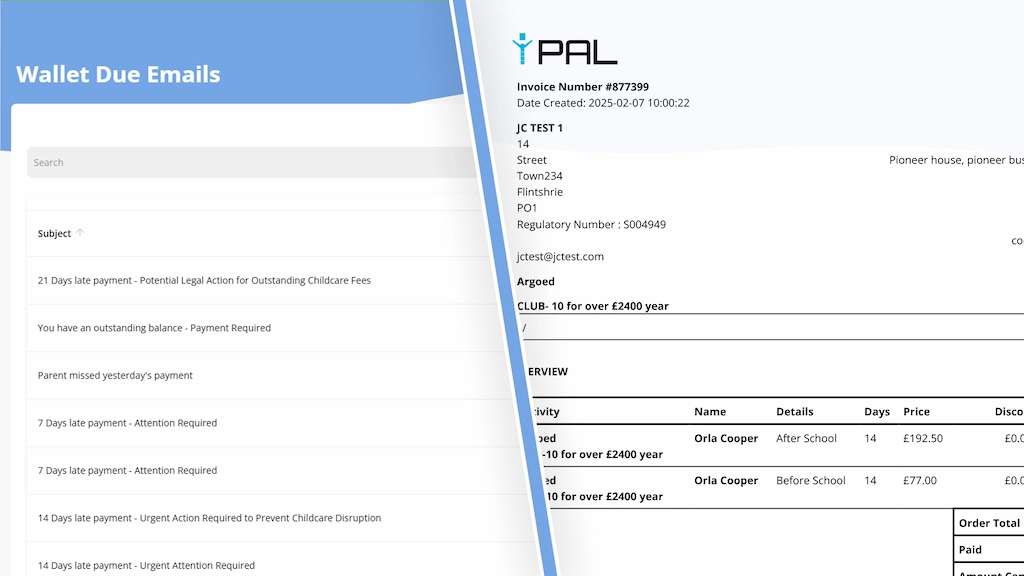
iPAL, for example, can automatically generate invoices and send email or SMS reminders for overdue payments.
The aim isn’t to remove human judgement from financial management. It’s to stop staff spending time repeatedly carrying out tasks that software can handle automatically.
5. Live Registers & Attendance Management
An online booking list and an attendance register are not necessarily the same thing.
A child may be booked into a session but absent on the day, arrive late or leave early. Staff need an accurate picture of who is actually present.
For early years settings in England, the EYFS framework sets statutory standards providers must follow, while current Ofsted inspection guidance notes that inspectors may need access to information about children present at the setting and records such as accident documentation.
A useful childcare management system should therefore make it easy to:
- Check children in and out
- See attendance in real time
- Record collection information
- Access relevant child details
- Maintain accurate attendance records
Digital registers can provide staff with a much clearer live view than a booking spreadsheet that was created several days earlier.
6. Safeguarding, Medical & Child Information
A daycare app will often hold much more than names and booking dates.
Staff may need access to important information including:
- Allergies
- Medical conditions
- Emergency contacts
- SEND information
- Permissions
- Accident records
- Authorised collection information
The important thing is not simply whether the software can store this information, but whether authorised staff can access the right information when they need it.
Current Ofsted guidance specifically highlights records including accidents, safeguarding information and details about children present as information inspectors may need to see.
Child information should therefore form part of the wider management system rather than being scattered across paper forms, spreadsheets and separate databases.
7. Waiting Lists & Capacity Management
Knowing whether you have space available sounds simple until you’re managing multiple rooms, sessions, age groups or clubs.
A good childcare booking app should understand the capacity of each session and prevent bookings from exceeding the number of available places.
Waiting-list functionality is also worth looking for.
Instead of staff maintaining a separate list and manually contacting parents whenever a place becomes available, the system can help organise demand and make spaces easier to fill.
This becomes particularly useful for settings with popular sessions, changing attendance patterns or several different booking options running at the same time.
The result should be a clearer view of both current occupancy and future demand.

8. Parent Communication & Notifications
Bookings often generate communication.
A session is confirmed. A payment is due. A place becomes available. Opening hours change. Parents need to complete a form or receive an important update.
If all of this communication takes place separately through emails, phone calls, paper notices and different messaging platforms, information can easily become fragmented.
Look for a daycare app that can connect communications to the activity already happening within the system.
That might include:
- Booking confirmations
- Payment reminders
- Waiting-list notifications
- Service announcements
- Form requests
- General parent communications
This doesn’t mean every conversation needs to become automated. It simply means routine information can reach parents without staff having to manually send the same messages again and again.
9. Useful Reporting & Management Information
Collecting data is only useful if you can actually understand it.
A childcare management system should give managers a straightforward view of how their provision is performing without requiring information to be exported into several spreadsheets first.
Depending on your setting, useful reporting might include:
- Attendance levels
- Booking numbers
- Occupancy
- Revenue
- Outstanding balances
- Session utilisation
- Funding information
- Trends over time
The key word here is useful.
A dashboard filled with graphs doesn’t necessarily improve anything. Look for software that answers practical questions about your setting and helps you identify where action may be required.
10. Integrations & Room To Grow
Finally, think beyond what your organisation needs today.
Changing software can be disruptive, so it is worth considering whether a platform can continue working for you as your childcare provision develops.
If you operate from a school, for example, integration with your existing Management Information System can prevent information having to be entered into multiple platforms.
iPAL currently integrates with major school MIS platforms including Arbor, Bromcom, ScholarPack and SIMS, helping keep information connected and reduce duplicate data entry.
Providers with plans to expand should also consider whether their daycare management software can comfortably handle additional sessions, services, venues or increasing numbers of children and parents.
Finding the Right Daycare App for Your Setting
There is no benefit in choosing the daycare app with the longest possible list of features if your team never uses half of them.
The best system is one that makes the tasks you already carry out every day simpler.
Look at how bookings are managed, how parents interact with the system, how easily staff can access important information and how much manual work the software can realistically remove.
At Complete Education Solutions, we developed iPAL to bring bookings, payments, invoicing, registers, safeguarding information, parent communication and childcare management together in one system.
Plans currently start from £39.99 per month, with lower monthly pricing available on longer-term plans. If you’re reviewing your current childcare software, you can explore iPAL or book a demonstration to see how the system could work within your setting.