
Software Feature
Online Bookings
The booking process sits at the centre of many of the day-to-day operations managed through iPAL. A single booking can involve a child, parent, activity, session, available places, payment and eventual attendance – all of which need to remain accurate as circumstances change.
Our iPAL system brings these elements together within the same platform, allowing schools and childcare providers to manage the full booking journey without separating bookings from the administration that follows them.
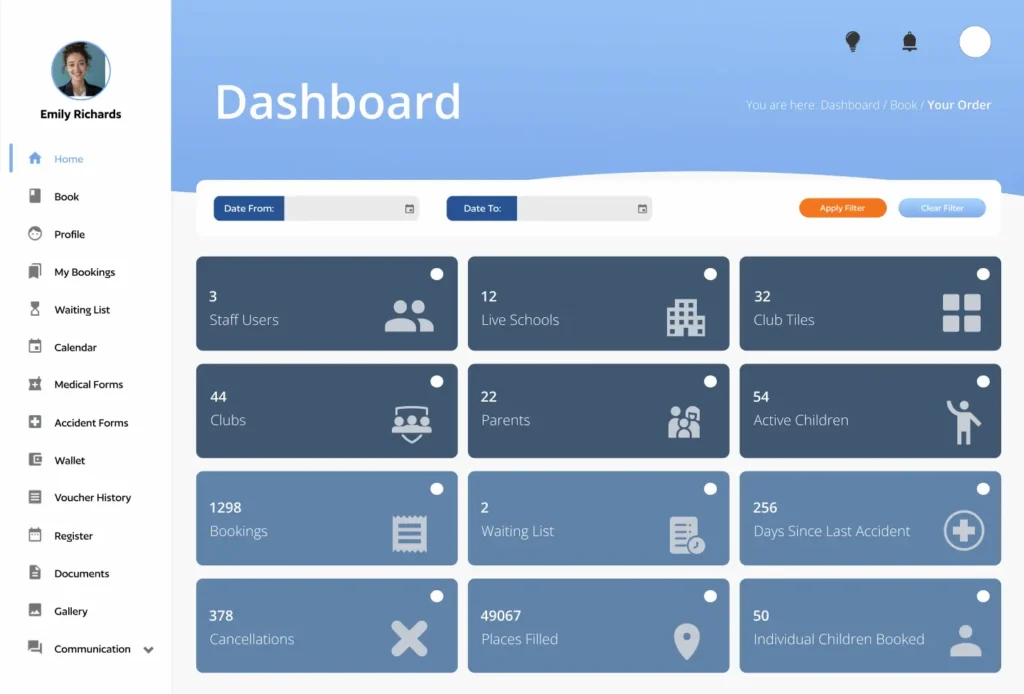
One booking system for your whole Organisation
Schools and childcare providers rarely offer just one type of activity. Parents may need to book breakfast clubs, afterschool clubs, holiday activities, nurseries, music lessons or school trips – sometimes for several children at once.
Afterschool Clubs
Give parents an easy way to find available sessions, select their child and book the care they need, while your team maintains control over capacity, eligibility and booking deadlines.
Wraparound Care
Manage breakfast and afterschool provision from the same system, with recurring, block and individual session bookings designed around the way families actually use wraparound care.
Holiday Clubs
Manage high-volume holiday bookings, session availability and capacity without relying on manual spreadsheets or constantly updating places by hand.
School Trips & Activities
Create structured bookings for trips, activities and events, collect the information and consent you need, and keep booking records connected to the child attending.
Sports & Enrichment
From sports clubs and music lessons to other extracurricular activities, iPAL allows different activities and sessions to be managed through one parent booking experience.
School Facilities
Where required, booking workflows can also be used to manage access to school facilities such as halls, sports fields, gymnasiums and other spaces.
A parent booking experience that actually works
The best school booking system isn’t just about making administration easier for staff. It needs to be straightforward for parents too. With iPAL, parents have their own online account where they can manage their children’s information and bookings in one place.
A typical booking journey is simple:
1. Select a child
Parents can manage multiple children easily from the same account.
2. Choose a venue
Available clubs, activities and services can be presented according to the school’s setup.
3. Pick a date
Parents can choose individual sessions or make longer-term bookings where available.
4. Review the booking
The parent can check the selected sessions and associated costs before completing the booking.
5. Select Payment
iPAL supportsa range of different childcare payment arrangements for convenience.
6. Confirmation
Booking and payment information can then be managed through the parent’s iPAL account.
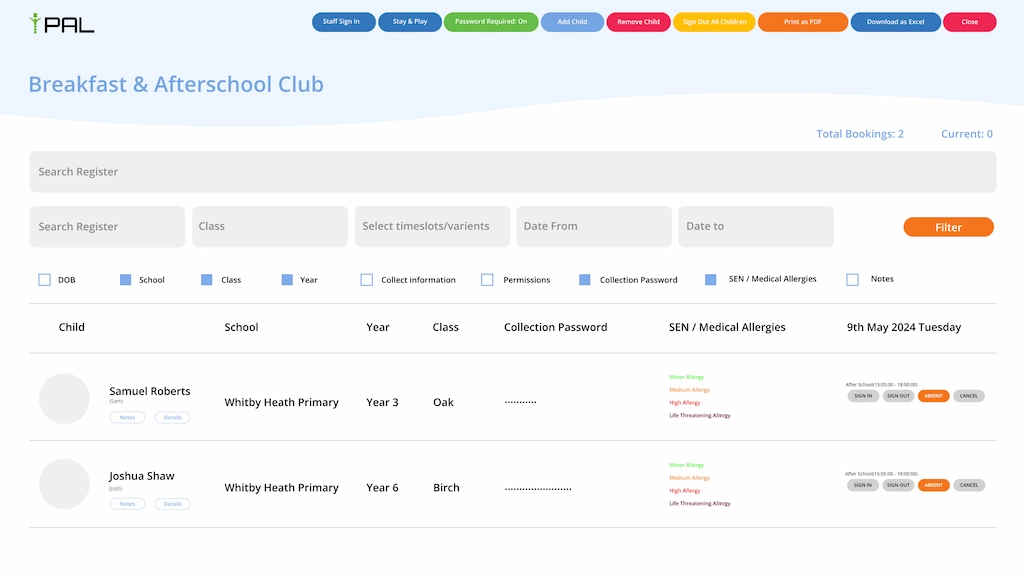
Better information for safeguarding
For schools and childcare providers, booking information is closely connected to safeguarding. A booking can be associated with the child’s wider profile, including relevant information such as:
Medical information
Allergies
Emergency contacts
Permissions
SEN information
Collection information
Parent details
This gives authorised staff access to the information they need to manage the provision responsibly. iPAL also supports digital processes around incidents and accidents, allowing information to be recorded and shared with parents where appropriate.
Keep parents informed automatically
Once bookings are managed online, parents shouldn’t need to contact the school every time they want to check what they’ve booked. iPAL can keep parents informed through automated communications relating to their bookings and account. This can include:
Booking confirmations
Payment information
Invoice notifications
Reminders
Waiting-list notifications
Important communications
Parents can also access their booking information through their iPAL account and mobile app. That means fewer repetitive questions for your office team and a clearer experience for families.
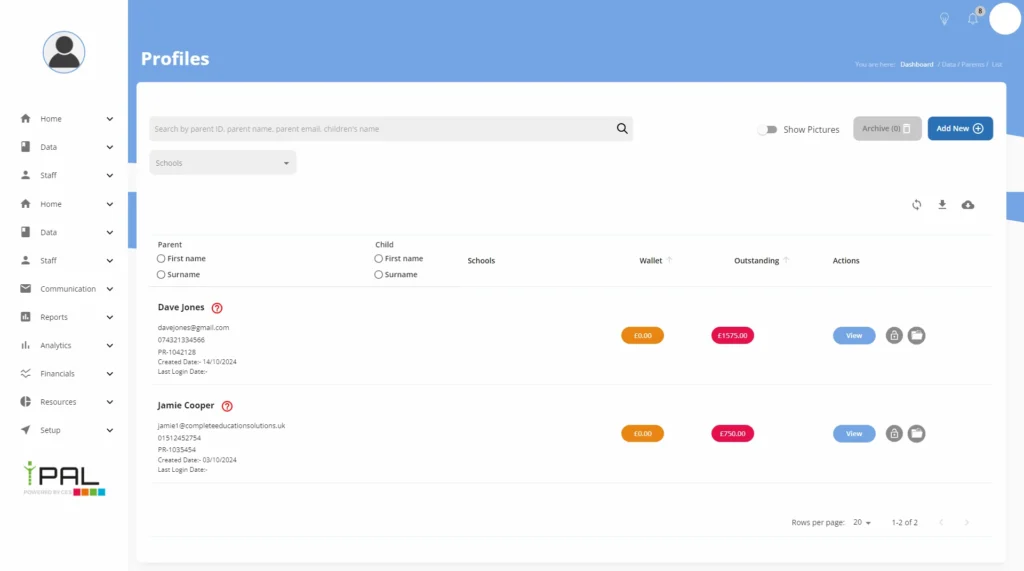
Manage changes without the spreadsheet chaos
Children’s schedules change. A parent may need to cancel a session, amend a booking or arrange a different day. Schools may also need to manage cancellations, refunds, credits and changes to availability. iPAL provides structured tools for managing these changes within the booking system. Instead of maintaining a separate spreadsheet of cancelled places and manually updating payment records, the booking, financial information and availability can remain connected.
Cancellation and refund rules can also be determined according to the provider’s own policies.
Connect bookings with the systems you already use
Capacity management is critical when you’re responsible for children. iPAL gives administrators control over the number of places available for individual activities and sessions. Once capacity is reached, the system can prevent further bookings and provide a waiting-list option where configured.
That means your team has a much clearer picture of:
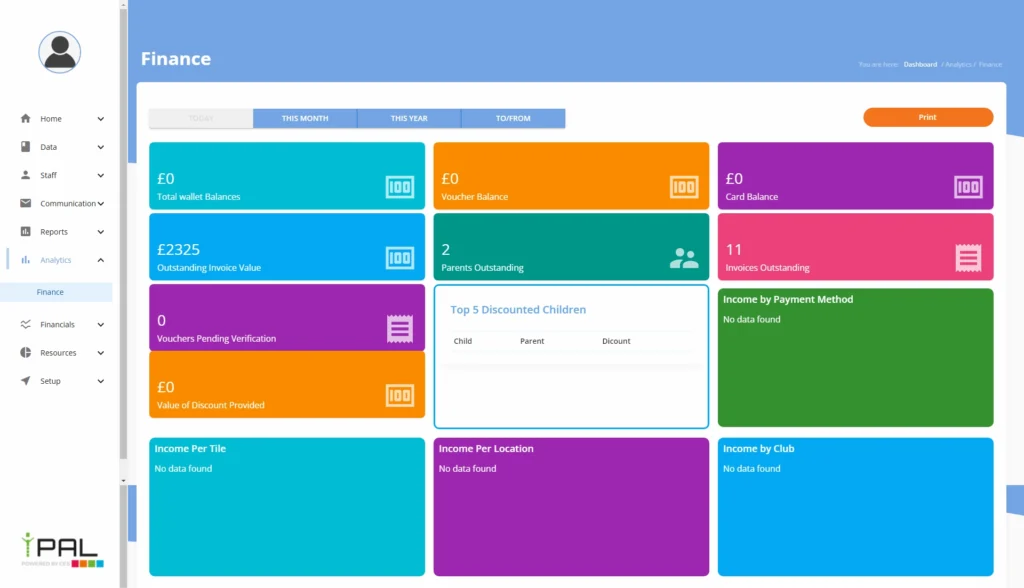
Make online bookings work harder for your school
Whether you’re looking for an afterschool club booking system, a wraparound care booking system, school activity booking software or a complete online booking management solution, iPAL provides the tools to manage the entire booking journey.
Give parents a simpler way to book.
Give administrators better control.
Give staff clearer information.
And give your organisation a booking system built around the realities of schools and childcare.